
A student searching for an MBA in your city needs to know where it is taught, what it costs and whether they can apply. Your university’s MBA page should answer those questions before asking for an enquiry.
This university programme page SEO checklist is for marketing, admissions and web teams reviewing a page before the next intake. Start with a programme that matters commercially and already has some search impressions. Bring the current fee notice, entry rules and application dates to the review. Record each issue, its owner and how you will confirm the fix.
Check which page should answer the search
Search Console can show which queries bring up the programme page and whether other pages appear for the same searches. Compare the programme page with the department page, an old admissions notice and any campaign landing pages. Several pages can serve different needs. The problem to investigate is a student reaching an outdated or incomplete answer.
For example, a department page might introduce the business school while the MBA page explains that degree. A campaign page might offer a campus appointment for the current intake. Give visitors clear links between these pages and review their search queries before deciding to combine, redirect or remove anything.
Google recommends descriptive page titles, useful headings and links that help readers find related content. Use those basics to make the programme page easy to understand. Google’s SEO Starter Guide
Review the programme facts together
| What to check | What the page needs | Who can confirm it |
|---|---|---|
| Programme and campus | The full degree name, campus and delivery format | Academic or programme team |
| Intake | Which intake the information covers, plus application dates where confirmed | Admissions |
| Fees | The published fee basis, applicable year and link to the official breakdown | Finance and admissions |
| Eligibility | The current entry requirements and where exceptions are explained | Admissions |
| Duration | Length of study and any full-time or part-time options | Programme team |
| Outcomes | Dated, programme-specific evidence where available | Placement or careers team |
| Next step | A working enquiry or application route for that programme | Admissions and web team |
Put the most useful facts in readable page text. Link to detailed notices where students need them. A downloadable prospectus can add depth, but visitors should be able to find the basics on their phone.
Check the scope of every number. A university-wide placement rate needs a clear label on a programme page. If the MBA has its own outcomes report, state the cohort and reporting period. If programme-specific figures are unavailable, help the student reach someone who can answer the question.
Make the first screen useful
The first screen should help visitors confirm they found the right programme. A clear degree name, campus or study mode, short summary and one primary action can do that. A long institutional introduction can sit below the information needed to decide whether to read on.
Here is an illustrative structure for an MBA page. Replace every field with approved information.
| Page element | Example content to prepare |
|---|---|
| Main heading | MBA at [University], [Campus] |
| Short summary | Who the programme serves and the confirmed study format |
| Key facts | Duration, intake, published fees and eligibility |
| Primary action | Ask about the MBA |
| Supporting link | View the official application requirements |
The right action depends on the visitor’s stage. An enquiry form can help someone check programme fit. An application link serves someone ready to apply. Make the distinction clear in the button labels and the text that follows.
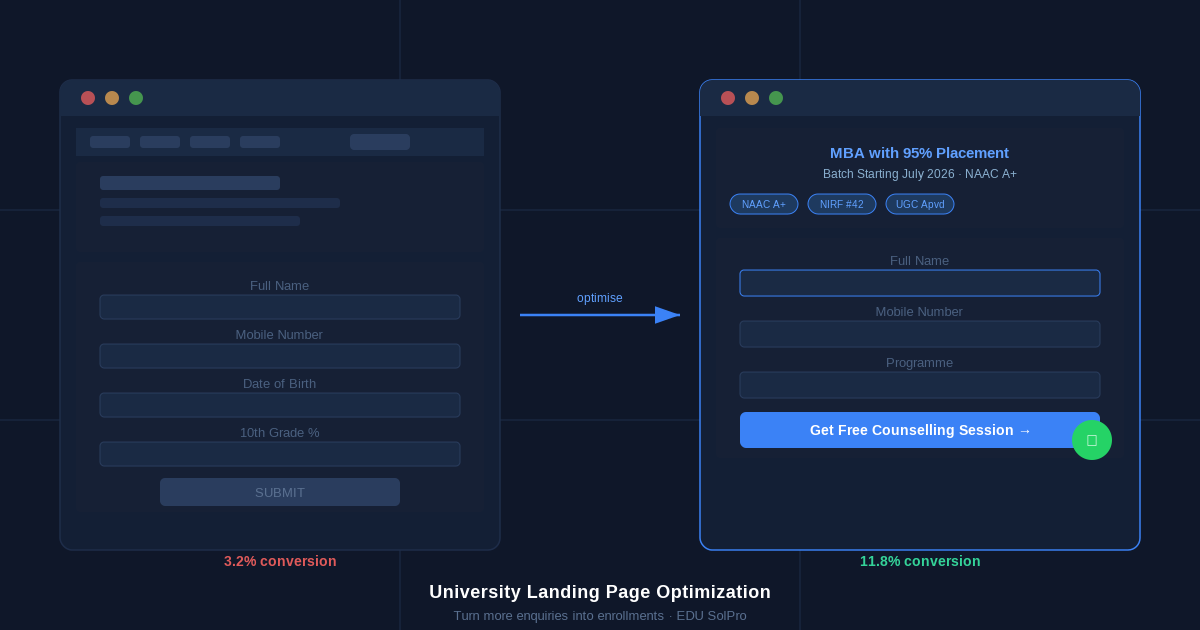
For a deeper review of campaign pages and forms, use our university landing-page guide.
Check access and links before rewriting
Ask the web team to inspect the published URL in Search Console. Check whether it can be indexed, whether it identifies the intended preferred URL, and whether important facts are present in the rendered page. A canonical tells search engines which version you prefer when similar pages exist. Its choice should fit the content and the other versions of the page.
Then follow the student’s route. Can someone reach the programme from the course directory and relevant department page? Does the page link to the fee breakdown, entry rules and application portal? Do those destinations cover the same campus and intake?
Test the page on a phone using a normal mobile connection. Open the menu, fee details and enquiry form. Watch for banners covering controls, tables that require sideways scrolling and buttons that lead to the wrong programme. A technical check and a manual visit can reveal different problems.
Use the same facts for AI search
Students may reach a programme through a search result, an AI answer or a shared link. Clear facts and links help each visitor verify what they read. Google says its AI features use the same SEO foundations and require no special schema for inclusion. Google’s AI search guidance
As a practical check, compare an AI answer about fees or eligibility with the official page. Record the answer’s date and sources, then investigate any mismatch. Our ChatGPT and Gemini audit checklist shows how to do that consistently.
Measure what happens after the fix
Keep a short change log with the page, date, issue and fix. Compare search impressions and clicks over useful periods, allowing for the intake calendar and campaign changes. Ask admissions whether enquiries from that programme are complete enough to follow up and whether they progress to applications.
For an illustrative review, suppose the page gets more clicks after a clearer title goes live but enquiries stay flat. Check the form and the questions visitors need answered. If enquiries grow but few meet entry requirements, review how eligibility is explained and which queries bring people to the page. Each finding calls for a different next step.
Start with one priority programme page. Fix the missing facts, test the enquiry route, and give someone responsibility for keeping the page current. If your team needs help deciding what to tackle first, request a university SEO audit.