Most Indian universities still manage thousands of leads the way they did ten years ago: Excel spreadsheets, manual WhatsApp messages, no clear idea which prospects are genuinely interested. An admissions counsellor spends their day copying names from one system to another, sending identical texts to every lead, and hoping something sticks. It doesn’t work. It burns out your team, loses leads, and leaves seats unfilled.
Marketing automation for universities is not enterprise software or a buzzword. It’s a practical setup where your inquiry capture, lead scoring, messaging, and data handoff to your ERP all happen without manual interference. When someone visits your engineering programme page, downloads a fee brochure, and attends an open day, the system knows they’re serious. It sends the right sequence at the right time through the right channel — and your counsellor only touches prospects who are actually ready.
This article explains what marketing automation looks like for Indian universities, the five admissions funnel stages where it makes a difference, what to look for when choosing a tool, how to avoid the most common failure modes, and what to measure. For context on how automation connects to your paid media strategy, see the performance marketing guide for university admissions.
What marketing automation actually means for universities
Marketing automation in higher education is the process of setting up workflows that capture student information from multiple sources, score leads based on intent signals, send timely nurture sequences, and sync everything back to your ERP for enrollment tracking.
It’s not “set and forget” AI. It’s a system you design once and refine continuously.
The key difference from generic marketing automation is that universities have a 6–9 month enrollment cycle, multiple stakeholder approvals — parent, student, and often a school principal or employer — and strict regulatory constraints on advertising. Your automation must be built around these realities, not borrowed from an e-commerce or SaaS playbook.
The practical result: a counsellor who receives pre-scored, pre-nurtured leads can have better conversations and close more enrollments. Automation doesn’t replace counsellors. It clears the work that prevents them from doing what they’re actually good at.
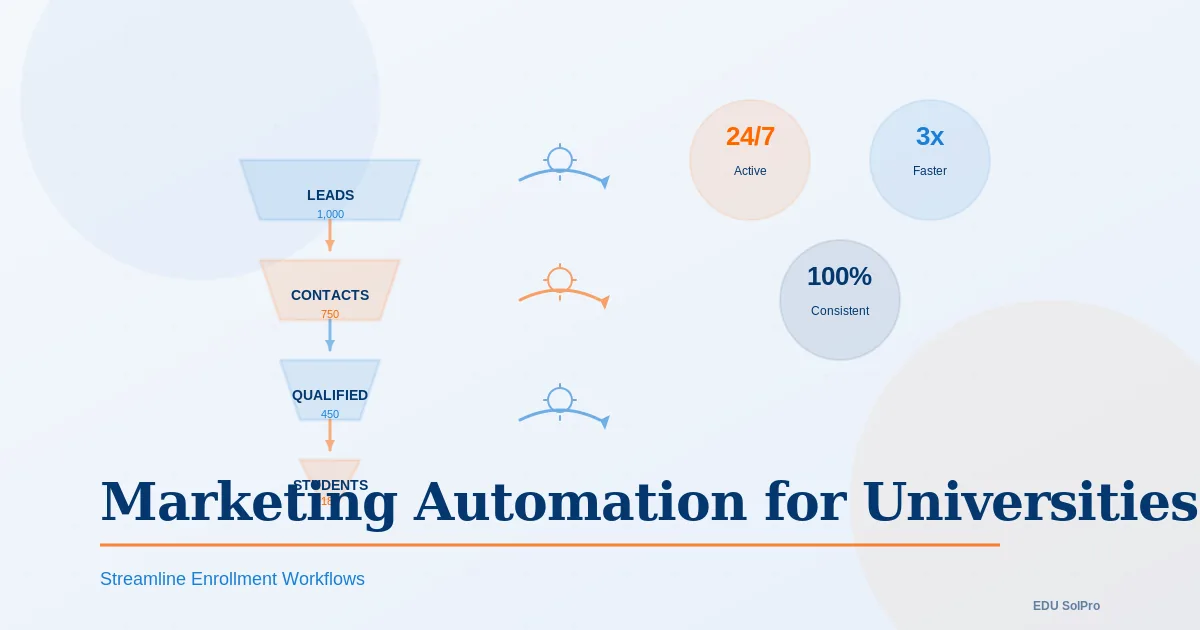
The 5-stage admissions funnel and where automation fits
Stage 1: Awareness and website visits
A prospective student lands on your website from Google, social media, or an aggregator platform. They browse your programme page, check placements, look at fees.
What automation does here: Captures where they came from, which pages they viewed, whether they visited the programme page versus the general admissions page. This is passive data collection — no outbound message yet, just building context for later.
Your system should be able to receive leads from CollegeDekho, GetmyUni, Facebook Lead Ads, Google Ads, your own forms, and social channels. Large universities in India receive 100+ inquiries per day across these sources. Without automated capture and deduplication, the same student applies via two publisher platforms, gets called twice, and you lose the lead because the experience felt disorganised.
Stage 2: Inquiry and lead scoring
A student fills a form, calls your admissions line, or sends a WhatsApp. They’ve expressed interest in a specific programme.
What automation does here: Assigns a lead score based on observed signals. A student who visited the programme page twice, attended your open day, and downloaded the fee structure is ready to talk to a counsellor. A student who only browsed the homepage once needs nurturing first.
Well-designed systems automatically route high-scoring leads to counsellors within minutes. Research consistently shows that the speed of first response is one of the strongest predictors of conversion — leading institutions respond to digital inquiries within the hour, not the next business day.
Stage 3: Application
The student has committed enough to start an application. They’re likely comparing your programme to at least two others. They need reassurance on fees, scholarships, placement outcomes, and campus life.
What automation does here: Triggers a structured WhatsApp or email sequence over 2–3 weeks. The sequence is personalised by programme and scholarship eligibility, not broadcast identically to every lead. If the student goes inactive for five days, a counsellor receives a task to call — not another automated message.
A typical sequence structure for this stage:
- Day 1: Confirmation + application progress link
- Day 3: Programme-specific placement data or outcome stats
- Day 5: Scholarship deadline and eligibility info
- Day 7: A student testimonial or alumni story relevant to their programme
- Day 10: Application completion prompt (“You’re 80% done — finish in two minutes”)
- Day 14: Direct counsellor introduction
- Day 17: Final deadline reminder
Stage 4: Admission offer and deposit
The student receives an offer letter and now needs to confirm enrollment, submit documents, and pay a deposit.
What automation does here: Sends document collection reminders, tracks what’s been uploaded, alerts the counsellor when something is missing, and reminds the student of the deposit deadline across channels. Universities that automate this stage typically see 10–15% improvement in offer-to-enrollment conversion because follow-ups happen immediately rather than when a counsellor remembers to check.
Stage 5: Enrolment confirmation and handoff to ERP
The student has paid the deposit and confirmed enrollment. They’re now a student, not a prospect. The data needs to move from your CRM to your student information system without manual re-entry.
What automation does here: Marks the record as converted, syncs applicant data to the ERP, triggers a welcome sequence from the student services team, and hands off to accounts for fee collection. Without this sync, your admissions office manually re-enters information, makes errors, and loses time that could go toward the next cohort.
Lead scoring model for Indian universities
Lead scoring is the mechanism that separates automation that works from automation that simply sends messages. You assign points based on behaviours that genuinely predict enrollment likelihood, then route leads to the right action based on their score.
Here’s a realistic starting framework — designed to be calibrated against your own enrollment data over time:
High-intent signals (5 points each)
- Attended an open day or campus tour
- Viewed programme page more than once
- Viewed fee structure or scholarship details
- Downloaded prospectus or completed a detailed inquiry form
- Attended a webinar or virtual event
Medium-intent signals (2 points each)
- Opened a nurture email
- Clicked a link in an SMS or WhatsApp message
- Filled an initial inquiry form
- Visited a programme page once
- Engaged with a social media post (like, comment, share)
Low-intent signals (1 point each)
- Visited the website
- Opened a first email from your domain
- Filled a contact form with minimal information
Routing thresholds
- 8+ points — Hot lead: assign to counsellor immediately
- 5–7 points — Warm lead: active nurture sequence
- 3–4 points — Cold lead: broader awareness sequence
- 1–2 points — Unqualified: minimal follow-up
This model works for most UG and PG programmes. Online programmes should weight webinar attendance more heavily; campus-based programmes should weight open day attendance more heavily. Adjust the thresholds quarterly by comparing your model’s hot/warm designations against actual enrollment outcomes. If your “warm leads” are converting at the same rate as “hot leads,” your score thresholds need recalibrating.
The key discipline: don’t build a scoring model and treat it as fixed. Test it against reality and revise it every admissions cycle.
WhatsApp automation sequences that work
WhatsApp is the primary communication channel for students and parents in India. Open rates exceed 90%. Two-way messaging means students can respond and get answers without switching to a different channel. Research on Indian education institutions shows that those using structured WhatsApp automation report 25–35% higher enrollment conversion compared to phone and email alone.
Principles for WhatsApp sequences that don’t get muted:
Segment by programme, not by institution. Engineering students prioritise placements and salary data. Management students want internship records and faculty credentials. An MBA student and a B.Tech student should receive entirely different sequences, even if they inquired in the same week.
Limit frequency. Two to three messages per week is the ceiling. More than that and students mute your number — and you’ve permanently lost the channel for that lead.
Personalise the first line. “Hi Akshay, here are the placement stats for the Computer Science programme you’re interested in” will outperform “Hi Student, we have great placement records” every time. The personalisation costs nothing if your CRM is capturing programme preference at inquiry.
Use trackable links. UTM parameters on every link tell you which messages drive clicks. If 40% of students click the scholarship link but 5% click the accommodation link, you know where the concern is — and you can adjust messaging accordingly.
Always include a human exit. After the automated sequence ends, the final message should offer a direct connection to a named counsellor. “Reply to this message to speak with Priya directly” is more effective than a generic helpline number.
Email nurture sequences
Email runs parallel to WhatsApp — not as a replacement, but as a fallback and supplement. Students who don’t respond to WhatsApp often respond to email, particularly for longer-form content like scholarship details or programme comparisons.
Research on higher education email nurture sequences identifies three distinct phases:
Inquiry to application (6–8 emails over 4–6 weeks)
- Welcome email: Programme overview, what makes this programme different, immediate next step
- Day 5: Deadline, FAQ link, scholarship details
- Day 12: Alumni outcome story (specific, not generic)
- Day 20: Urgency message with seat availability context
- Day 30: Final application reminder with direct counsellor contact
Application to offer (4–6 emails)
- Application received confirmation
- Document checklist and upload instructions
- What happens next (timeline, interview date if applicable)
- Offer letter delivery with clear next steps
Offer to enrollment (8–12 emails — the yield phase)
- Offer acceptance instructions
- Scholarship confirmation (if applicable)
- Accommodation and campus life
- Student testimonials from current students in the same programme
- Orientation and onboarding timeline
Segmented email sequences consistently outperform generic broadcasts by a wide margin. A programme-specific email to 200 relevant leads will produce more responses than a generic email to 2,000 mixed leads.
Integration with your ERP
The final piece that ties automation together is the handoff between your CRM and your university’s student information system or ERP.
A typical university ERP (SAP, Ellucian, Workday, or India-based platforms) handles student records, fee tracking, academic progress, and graduation. Your CRM handles pre-enrollment inquiry and nurturing. These two systems are often completely disconnected — which means your admissions office manually re-enters every enrolled student’s data, creating errors and delays.
What the integration should do:
When a student confirms enrollment, the CRM should push their complete record to the ERP: name, contact details, programme, scholarship amount, application date, documents submitted, counsellor assigned, and enrollment date. This should happen automatically, without anyone copying from one screen to another.
Most modern CRMs support this through API connections or middleware tools like Zapier. The setup takes 2–4 weeks and requires cooperation from both your CRM vendor and your ERP team. It’s worth the effort — the alternative is persistent data errors and counsellor time spent on data entry instead of enrollment.
Choosing the right tool: a neutral guide
The Indian higher education market now has several solid options at different price points. No single tool is right for every institution. The right choice depends on your inquiry volume, ERP, team size, and whether you need WhatsApp integration built in or are willing to connect it separately.
India-first platforms built for education:
- Meritto (formerly NoPaperForms) — Built specifically for Indian higher education, with strong inquiry aggregation, lead scoring, and WhatsApp integration. Well-suited for institutions receiving leads from multiple publisher platforms.
- Meritto competes with several platforms including SpaceBasic, TeleCRM (strong on WhatsApp + calling integration), and a handful of others. Worth evaluating two or three against your specific ERP and volume.
Global platforms with strong higher ed implementations:
- Technolutions Slate — The dominant CRM in international and premium institutions, used by over 1,700 universities globally. Exceptionally deep admissions workflow features. Implementation complexity is higher and suited to institutions with technical teams.
- Element451 — AI-powered platform with strong automated nurturing and communication tools. Better suited for institutions wanting out-of-the-box automation rather than heavy customisation.
- Ellucian CRM Recruit — Works best for institutions already on Ellucian’s ERP stack (Banner, Colleague), because the integration is native.
General-purpose CRMs adapted for education:
- HubSpot (free and professional tiers) — Flexible, well-documented, and has strong email automation. Requires more setup for education-specific workflows. WhatsApp requires a third-party integration. Better for smaller institutions with a technical team willing to configure it.
- Zoho CRM + Zoho Campaigns — Lower cost entry point than HubSpot at scale, reasonable education workflow configurability, and Zoho’s WhatsApp integration is more straightforward than HubSpot’s.
Practical selection criteria — more important than the brand name:
- Does it integrate with your specific ERP, or will you need middleware?
- Does WhatsApp Business API integration come built-in, or is it a third-party add-on?
- Can it aggregate leads from CollegeDekho, GetmyUni, and Facebook Lead Ads without manual import?
- Does your team have the bandwidth to configure it, or do you need a managed implementation?
- What’s the contract structure — annual lock-in or flexible?
Don’t choose based on which vendor has the most prominent marketing in the Indian education space. Run a structured evaluation with your admissions team, your IT team, and your ERP vendor before committing.
Realistic budget ranges
These are indicative ranges based on publicly available pricing and common implementation patterns for Indian universities. Actual costs vary depending on inquiry volume, number of users, and required integrations.
Smaller institutions (under 500 enrollments per year)
- CRM platform: ₹20,000–₹60,000/month
- WhatsApp Business API: ₹3,000–₹5,000/month
- Email platform (if separate): ₹3,000–₹8,000/month
- One-time setup and integration: ₹50,000–₹1,50,000
- Estimated monthly run cost: ₹25,000–₹75,000
Mid-size institutions (500–2,000 enrollments per year)
- CRM platform: ₹60,000–₹1,50,000/month
- WhatsApp Business API: ₹5,000–₹15,000/month
- Integration and customisation (one-time): ₹1,00,000–₹3,00,000
- Estimated monthly run cost: ₹75,000–₹2,00,000
Large institutions (2,000+ enrollments per year)
- Enterprise CRM with deep ERP integration: ₹1,50,000–₹4,00,000/month
- WhatsApp dedicated number + Business API: ₹15,000–₹30,000/month
- Implementation and ongoing support: ₹2,00,000–₹5,00,000 first year
- Estimated monthly run cost: ₹2,00,000–₹5,00,000
These figures exclude your team’s time to design workflows, write messaging, and manage data quality — which is a meaningful hidden cost in any implementation. Budget for a launch period of 8–12 weeks before the system is running reliably.
Failure modes: what goes wrong and why
Most universities that implement marketing automation and see poor results fail for one of four reasons:
Failure 1: Over-automation without human fallback. The system sends 15 emails and 20 WhatsApps to every lead regardless of how they’re behaving. Students mute the number, unsubscribe from email, and your brand looks desperate. Conversion rates drop below what you’d get from just calling people.
Fix: Fewer, better-timed messages. If a student goes inactive for ten days after scoring 8+ points, a counsellor should call — not receive another automated message.
Failure 2: Generic messaging. Every student in the system gets the same sequence because segmentation was too difficult to set up. “Apply to our top-ranked university” sent to a student specifically interested in scholarship eligibility for the MBA programme doesn’t land.
Fix: Set up programme-level sequences before launching. Even three or four segment variants — UG vs PG, scholarship-eligible vs not, metro vs non-metro — will dramatically improve response rates.
Failure 3: Disconnected data. The CRM is capturing leads but not syncing back to counsellors in real time. A counsellor calls a lead who enrolled last week. Or a high-scoring lead sits uncontacted for 48 hours because nobody’s monitoring the routing queue.
Fix: Define clear ownership before going live. Who reviews the hot lead queue? How often? What’s the SLA for counsellor first contact? Automation creates the queue — humans have to work it.
Failure 4: Measuring engagement instead of enrollment. The admissions team reports email open rates and WhatsApp delivery rates as success metrics. Leadership approves the system because “engagement is up.” Actual enrollment conversion doesn’t improve.
Fix: Track the funnel metrics that matter: inquiry-to-application rate, application-to-offer rate, offer-to-enrollment rate, and cost per enrolled student. Open rates are inputs. Enrollment is the output. Optimise for the output.
What to measure once automation is live
Funnel conversion benchmarks to track against:
Industry data on higher education admissions funnels provides these typical ranges for context — your own rates will depend on programme selectivity, brand strength, and counsellor performance:
- Inquiry to application: 15–25% is typical; 30%+ is strong
- Application to offer: 50–70% for most programmes
- Offer to enrollment (yield): 20–40% for most institutions
- Overall inquiry to enrolled: 3–8% is realistic across the full funnel
These benchmarks are global and weighted toward developed markets. Indian university funnels often see different patterns — higher inquiry volumes from aggregator platforms, lower initial quality, and stronger WhatsApp-driven conversion at the application stage.
Metrics to track weekly:
Inquiry volume by source, duplicate rate (same student through multiple channels), counsellor first-response time, WhatsApp message open rate, email open and click rate, application completion rate, and counsellor utilisation rate (time on meaningful calls vs administrative tasks).
Metrics to track monthly:
Inquiry-to-application rate by channel, application-to-offer rate, CPQL (cost per qualified lead), cost per application, and cost per enrolled student by channel.
The monthly metrics are the ones that inform budget decisions. If your cost per enrolled student from LinkedIn is lower than from Google, shift budget. If your counsellor-qualified rate from a particular publisher platform is consistently below 10%, consider dropping that source.
Key takeaways
Marketing automation multiplies counsellor impact. A counsellor who gets routed only high-intent leads, has clean application records, and isn’t doing data entry can have five meaningful conversations a day instead of making twenty calls to people who barely remember enquiring.
Build the system in stages. Start with inquiry capture and deduplication. Add lead scoring. Then add WhatsApp and email sequences. Then add ERP integration. Trying to implement everything at once is how implementations fail.
Segment from day one. Even a basic split by programme level (UG vs PG vs executive) will outperform a single sequence for everyone. Add more segments as you learn what your students actually respond to.
Choose a tool based on your ERP, your inquiry volume, and your team’s technical capacity — not based on which vendor has the most visible brand in the education sector.
Test and revise. Your lead score thresholds will need adjusting after the first cycle. Your WhatsApp copy will need rewriting when you see what students actually click. Your email sequences will improve as you see where people drop off. Automation is a system you iterate, not a system you deploy and forget.
Ready to build an admissions funnel that actually converts? Our marketing automation service for universities covers workflow design, CRM selection, WhatsApp sequence setup, and the ERP integration that ties everything together. Talk to our team about what’s realistic for your institution’s inquiry volume and team size.
If you’re also working through India’s data privacy obligations — consent language for lead forms, CRM data retention, and remarketing pixel compliance — read our guide on how India’s DPDPA affects university admissions marketing. The two go together: the automation system collects and processes the data; the DPDPA governs how that data must be handled.